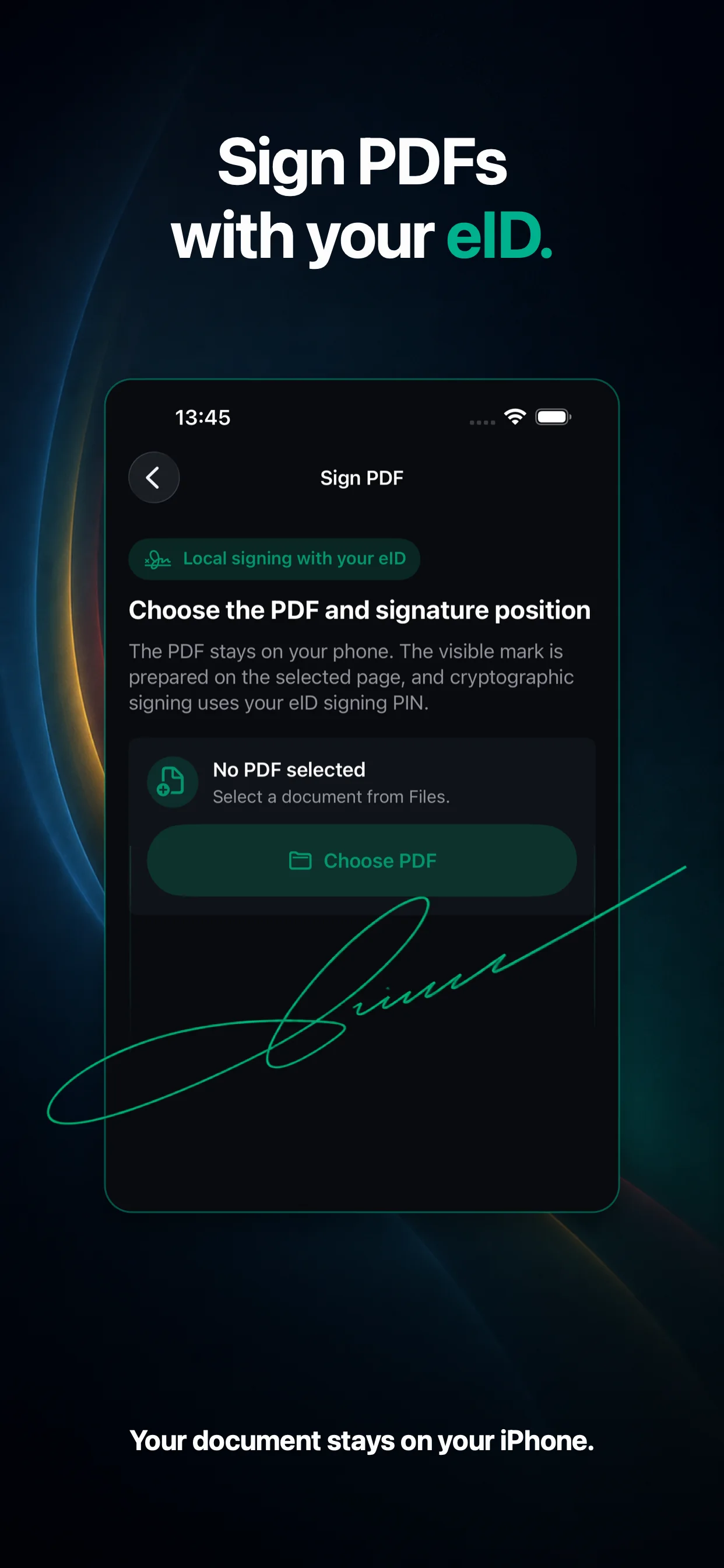
Sign PDFs with your eID
Review the document, choose the visible mark position, and sign cryptographically using the certificate and private key on your card.

Your identity, directly on iPhone
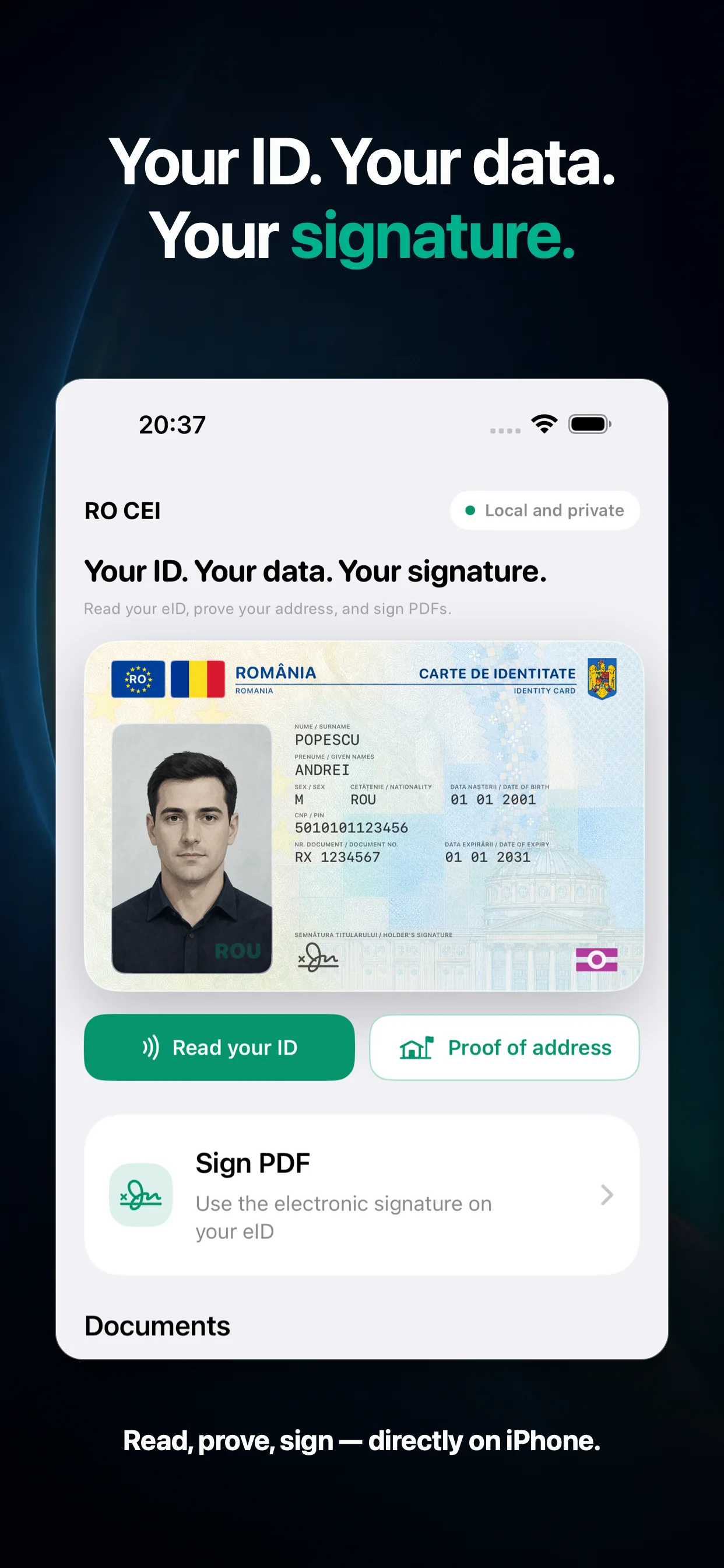
Read your Romanian eID, prepare proof of address, and sign documents directly on iPhone — with your data under your control.
The private key stays on your eID.

One place
From reading the card to signing and verification, every flow is built for iPhone and explained clearly, step by step.
Review the document, choose the visible mark position, and sign cryptographically using the certificate and private key on your card.
Access available identity data and the holder photo in a local session authorized with the CAN and data PIN.
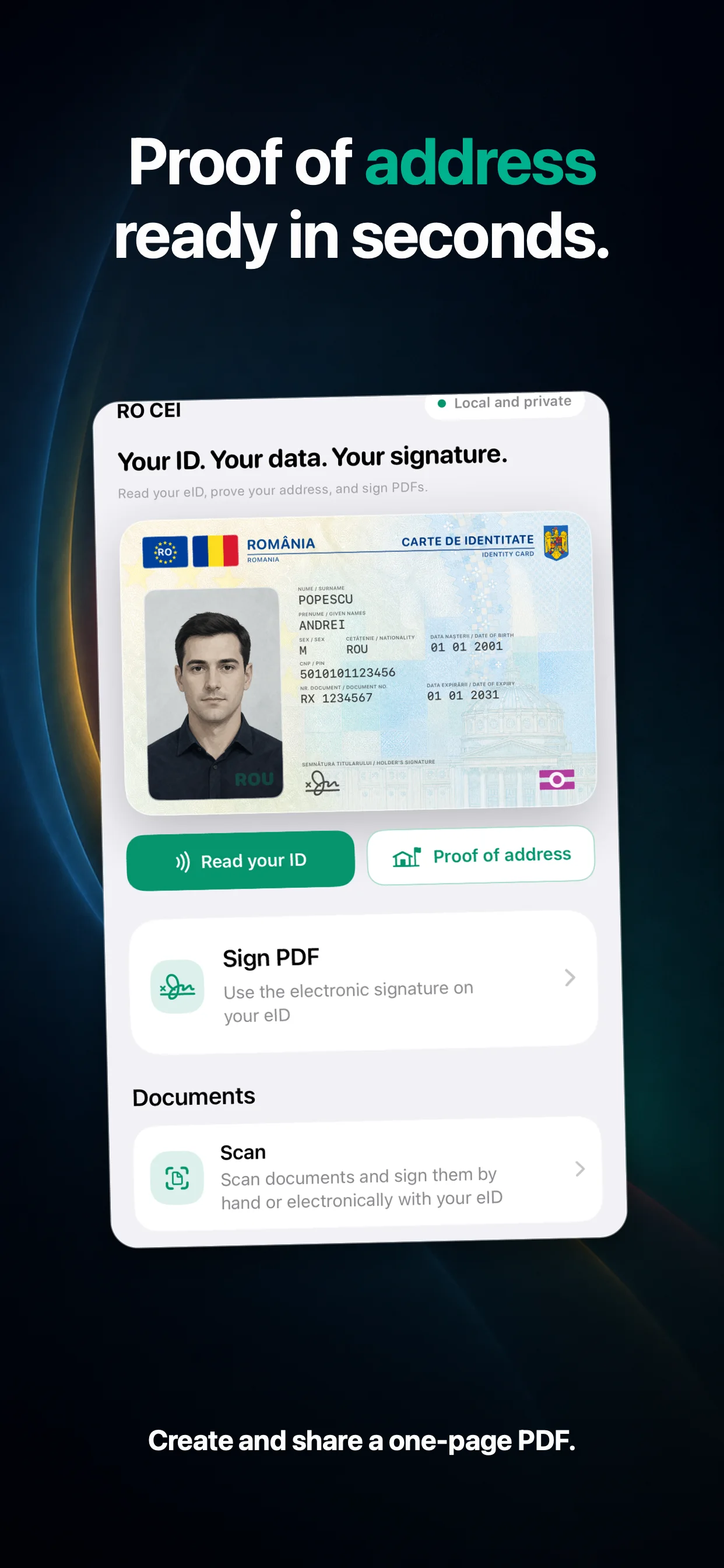
Generate a compact, one-page PDF containing identity data, address, and the holder photo.
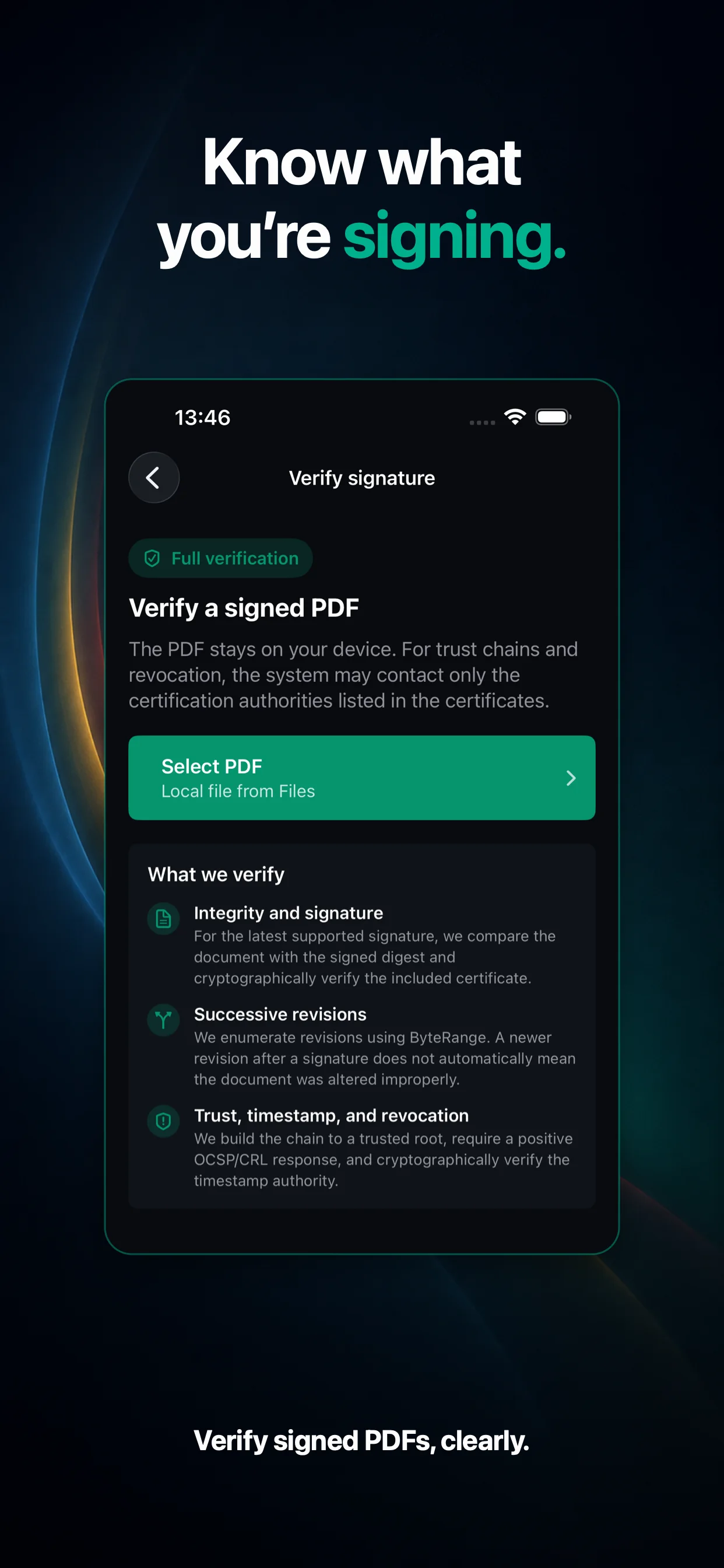
Analyze integrity, revisions, signers, certificates, timestamps, and revocation status for compatible signed PDFs.
Turn paper documents into PDFs, then save them, add a handwritten signature, or continue with electronic signing.
Search, preview, and share documents from local history. Private iCloud sync for eligible PDFs is optional.
Your identity. Under your control.
Simple, but real
The app guides you through content, placement, and eID authorization without turning signing into a black box.
Open the document and check the page you are about to sign.
Choose the page and exact position for the visible signature representation.
Hold the card near your iPhone and use the signing PIN; the private key never leaves the card.
Product, not promises
A native interface with light and dark appearances, and the same clear flows in Romanian and English.
Local by design
No account is required. Reading and signing happen locally over NFC. Trusted timestamp and complete validation may contact only services and authorities referenced by certificates; the PDF content is not uploaded to CEI One servers for signing.
Read how we protect data↗Before you begin
iOS 26.2 or a later version.
Your electronic identity card and the CAN printed on it.
Data PIN or signing PIN, depending on the operation.
For timestamps, revocation evidence, complete validation, and optional iCloud sync.
Frequently asked questions
No. CEI One is an independent app for using the Romanian electronic identity card on iPhone.
No. Electronic signing creates a cryptographic signature using the certificate and private key on your eID. The visible mark is only its representation on the page.
The CAN is the 6-digit code printed on the Romanian electronic identity card. It helps establish the secure NFC session.
The data PIN authorizes access to information available on the card. The signing PIN authorizes the cryptographic signing operation.
For compatible formats it checks integrity, signed revisions, certificates, trust chains, timestamps, and OCSP/CRL revocation information.
Reading and some operations are local. Trusted timestamps, refreshed revocation evidence, and complete validation require an internet connection.
Only eligible PDFs and library metadata, if you enable sync. CAN, PINs, NFC identity data, and the eID photo are not synced.
Yes. PDFs can be saved to Files or shared through the standard iOS share sheet.
Remove a thick case, place the eID under the top area of your iPhone, and keep both still until the NFC session completes.
Your identity. Under your control.
Read, prove, sign, and verify from one iPhone app.